Learn how to use Local Search to find local businesses by industry and location, understand dollar usage, uncover decision-makers, and build high-quality prospect lists for smarter outreach.
Overview
The Local Search feature is one of the most powerful ways to discover local businesses and uncover multiple decision-makers inside each company. Designed to work like Google-style local search, it helps sales rebels quickly identify companies, verify contact data, and reach the right people—all while using dollars efficiently.
This guide walks you through how to run a Local Search, manage dollar usage, expand results, and maximize value from each company record.
What You’ll Need Before You Start
- An active Lead Generation Tool account
- Available dollar (Local Search uses $0.12 per company with at least one email found)
- A target industry and location
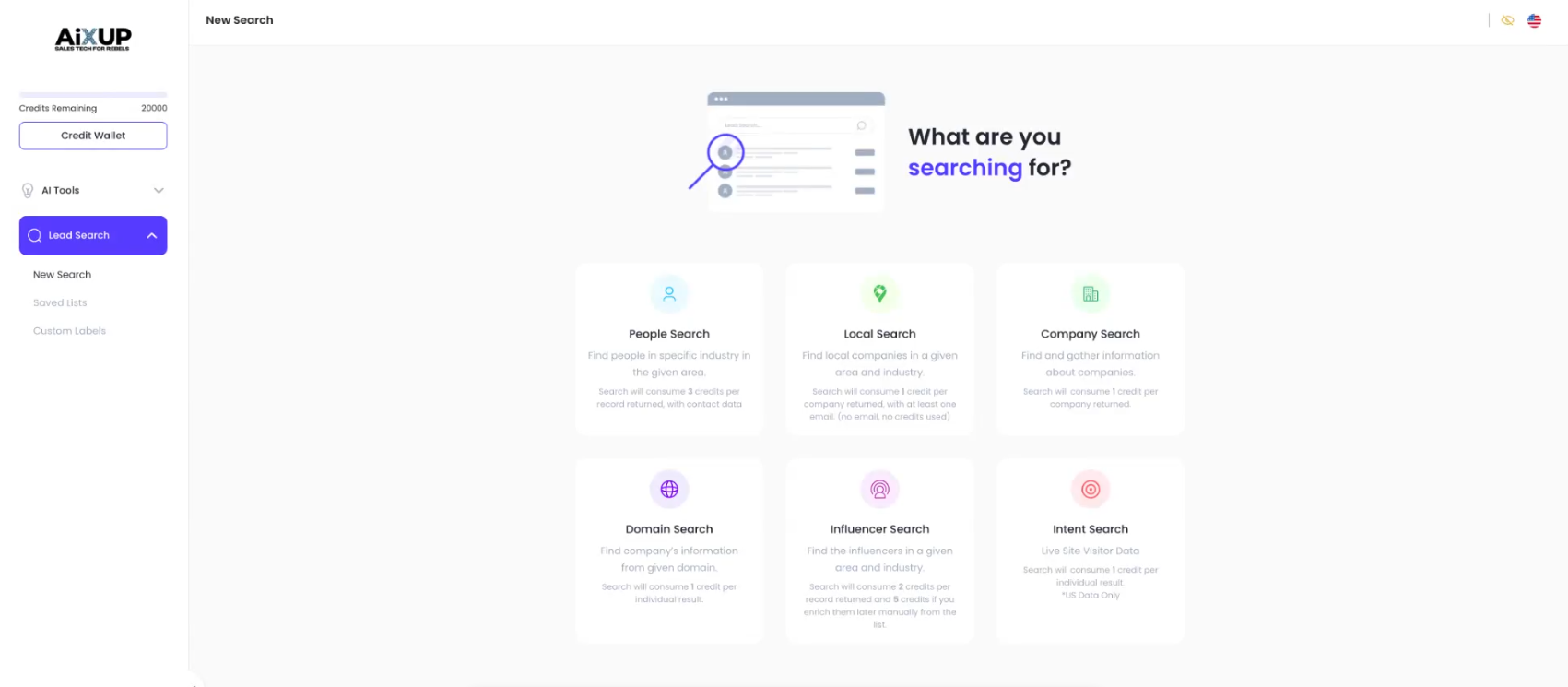
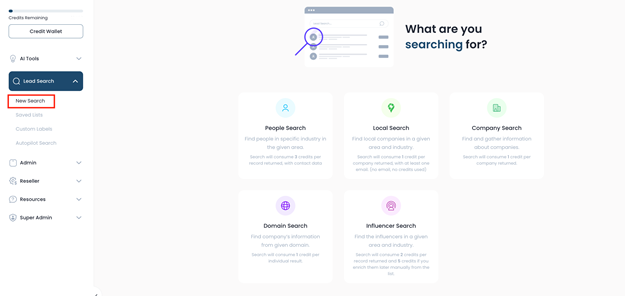
Step 1: Navigate to Local Search
- Log in to your dashboard.
- Go to Lead Search.
- Select Local Search.
Local Search is ideal when you want to:
- Target businesses in a specific city or region
- Prospect by industry or service type
- Find multiple contacts within the same company
Step 2: Enter Your Search Criteria
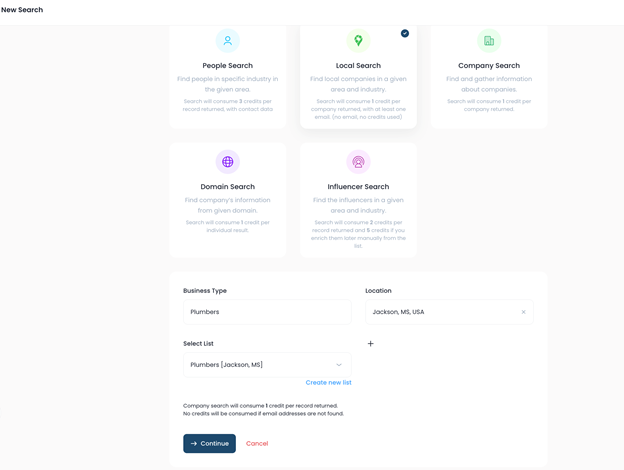
Industry / Business Type
- Enter the service or industry you want to target.
- Example:
- Plumbers
Location
- Enter the city and state you want to search.
- Example:
- Jackson, Mississippi
Step 3: Create a New List
If you don’t already have a list:
- Choose Create New List.
- Name your list clearly.
- Example: Plumbers – Jackson, Mississippi
- Click Save.
Lists help you organize prospects and manage follow-ups efficiently.
Step 4: Run the Local Search
- Click Continue to start the search.
- Initial results will be added to your list automatically.
Example:
- 12 companies successfully added to your list
Step 5: Load More Results (Optional)
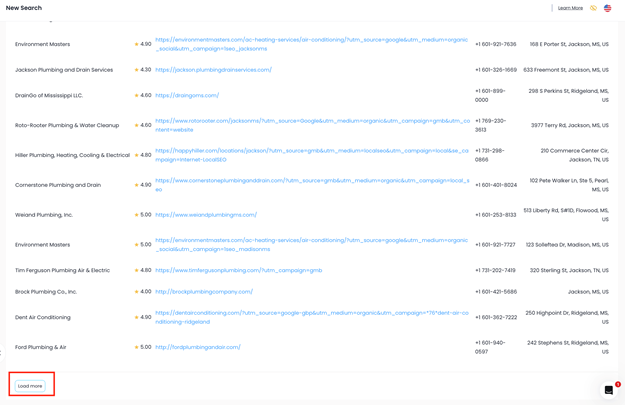
- Scroll down within the search results.
- Click Load More to retrieve additional companies.
- Repeat as needed until you have enough results.
Example:
- Additional 7 companies loaded
- Total companies found: 19
Step 6: Understand Dollar Usage
- Local Search only deducts $0.12 per company when at least one email is found.
- Companies with no emails found do not consume dollars.
Example:
- 19 companies found
- 16 companies with emails
- Only $1.92 deducted
Step 7: Access Your Saved List
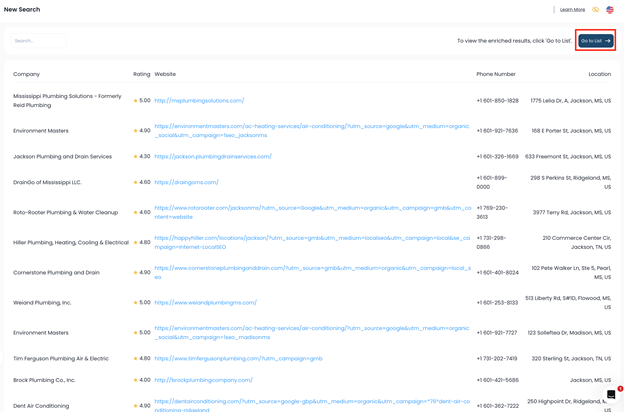
- Click Go to List from the top-right corner.
- Review all companies added from your Local Search.
Step 8: Review Company Information
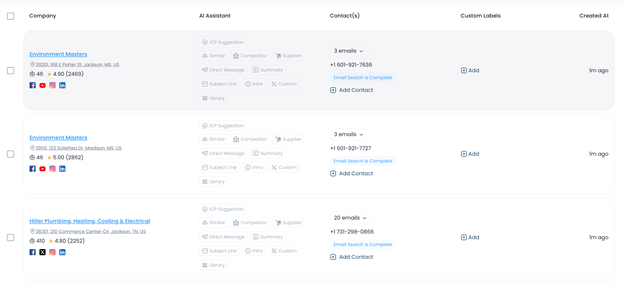
Inside your list, each company may include:
- Company name and address
- Employee size
- Google review data
- Social media profiles
- AI Assistant tools (summaries, similar companies, insights)
This provides full context before outreach.
Step 9: Explore Contacts Within Each Company
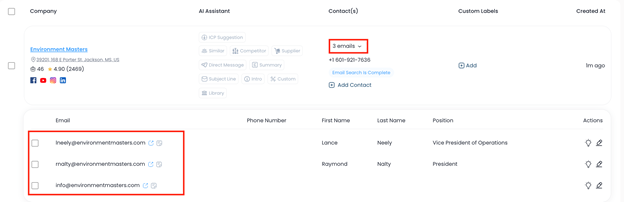
One of the biggest advantages of Local Search is multiple contacts per company.
You may find:
- Marketing Directors
- Digital Managers
- Vice Presidents
- Other key decision-makers
- Verified email addresses
Even though only $0.12 is used per company, you can reach multiple people within that business.
Step 10: Take Action with AI & Labels
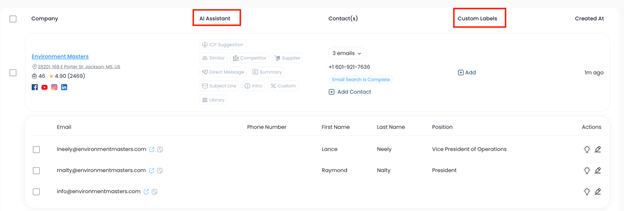
From your list, you can:
- Use the AI Assistant to generate summaries or outreach ideas
- Create custom labels (e.g., Contacted, Follow-Up, Priority Lead)
- Track when contacts were created
- Verify if additional data becomes available
Best Practices
- Start local and scale outward
- Load more results strategically to control dollars
- Prioritize companies with multiple contacts
- Use AI insights before outreach for better personalization
Was this article helpful?
That’s Great!
Thank you for your feedback
Sorry! We couldn't be helpful
Thank you for your feedback
Feedback sent
We appreciate your effort and will try to fix the article