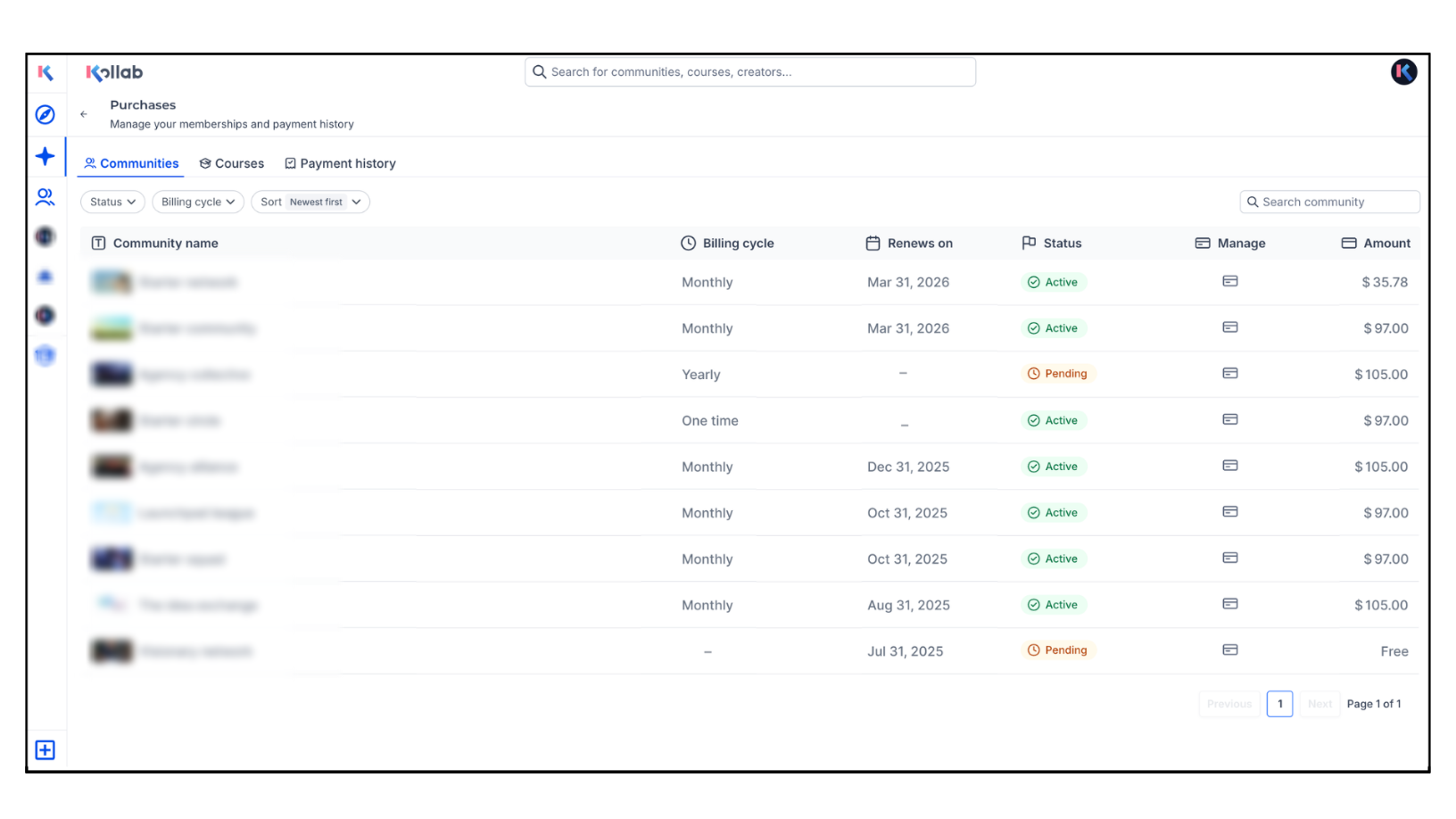
We’ve introduced Manage Purchases — a new centralized area where users can view and manage their communities, courses, and payment history.
What’s New?
- Communities Tab: View and manage all free and paid community memberships
- Courses Tab: Access purchased and enrolled courses in one organized view
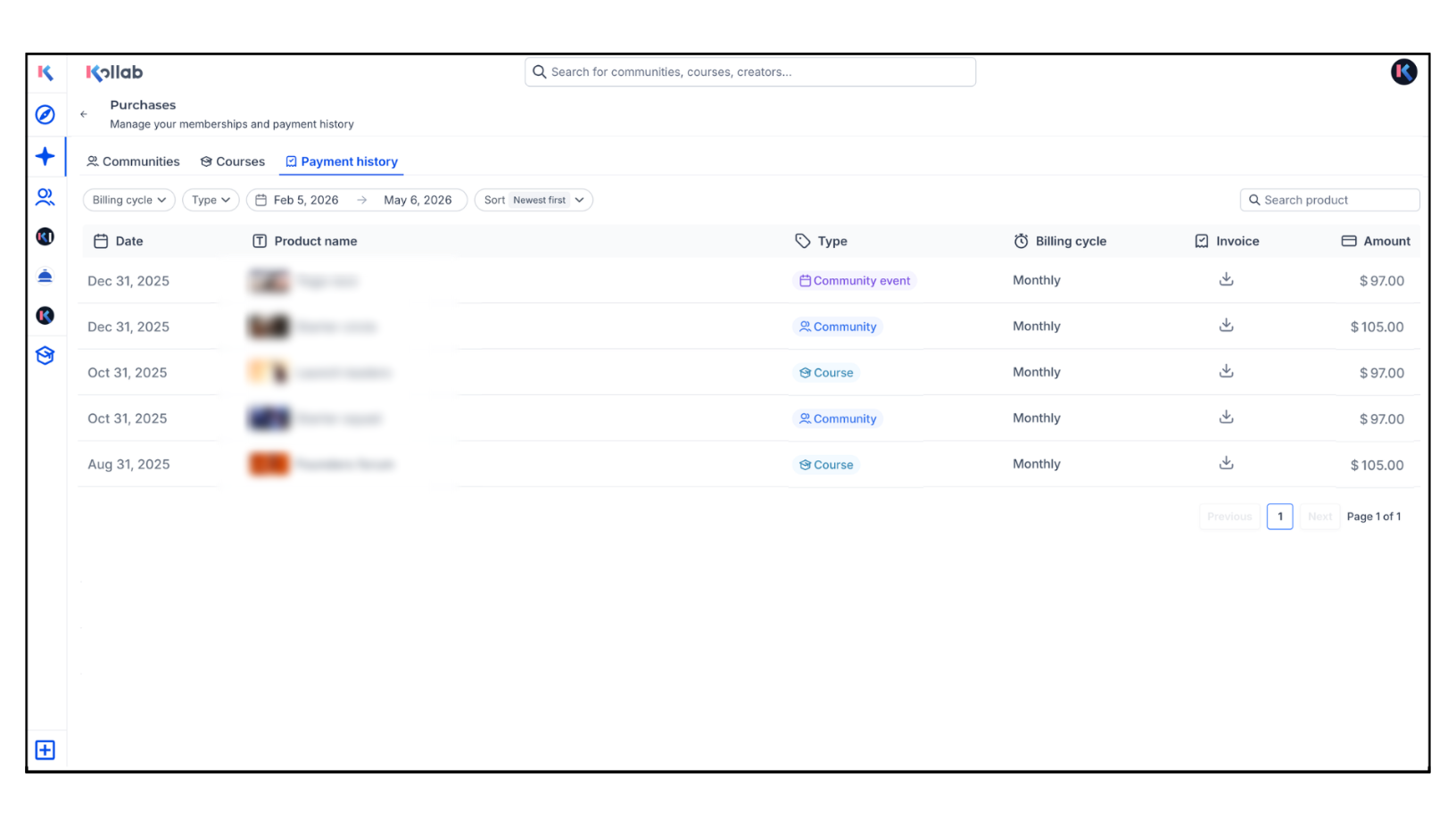
- Payment History Tab: Review payments, download invoices, and view payment methods used
- Membership Management: Leave communities or courses directly from the page
How to Access?
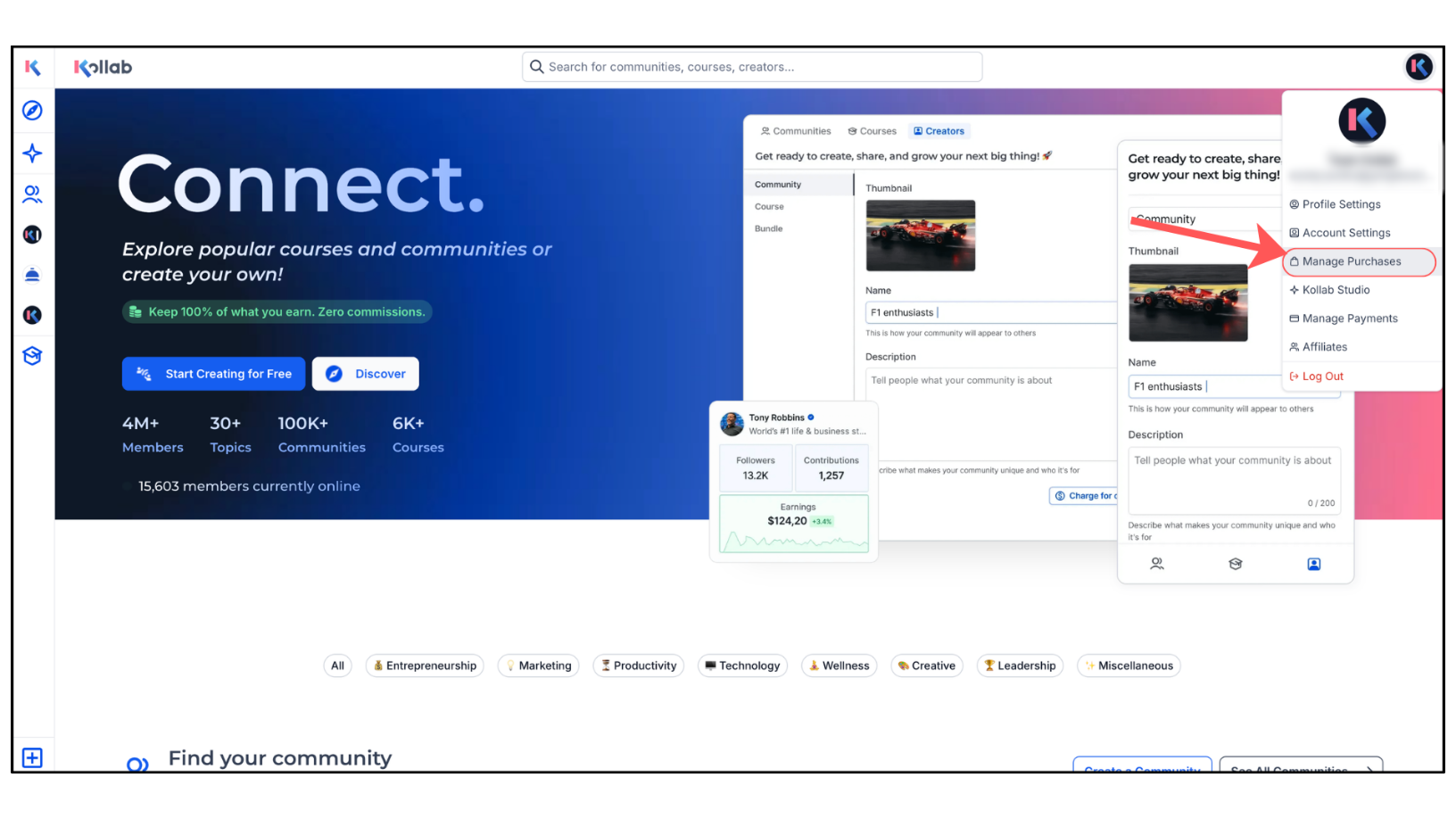
- Go to the GoKollab Homepage
- Click on your Profile Menu
- Select Manage Purchases
Why It Matters?
- Gives users better visibility into purchases and memberships
- Makes billing and access management easier to understand
- Creates a cleaner, more organized account experience
Was this article helpful?
That’s Great!
Thank you for your feedback
Sorry! We couldn't be helpful
Thank you for your feedback
Feedback sent
We appreciate your effort and will try to fix the article